Omega Reporting

Omega Reporting | Memphis Court Reporters

Schedule Now

Phone: 901.827.8671
info@omegareporting.com


  • Home
  • About Us
    • The Omega Difference
    • Client Feedback
    • About Lynette Mueller
      • Lynette Mueller Biography
      • Lynette Mueller Published Articles
      • Lynette Mueller Named as Fellow
    • Professional Memberships
    • Memphis Conference Facilities
    • Our Code of Ethics
    • Ethics and Gift Giving
    • Community News
  • Client Center
    • Client Center
    • Transcript Order Form
    • Online Transcript Repository
  • Client Services
    • Client Services
    • Realtime Court Reporters
    • Green Transcripts
    • Videography
    • Remote Depositions
      • Web Conference Depositions
      • Coronavirus: How we can help attorneys
      • 7 Remote Deposition Tips for Attorneys
      • Checklist for Remote Depositions
      • Handling of Exhibits for Remote Depositions
    • Videoconferencing
  • Contact Us
  • Lynette’s Blog
  • Reporters
    • Reporter Job Information and Billing

STARTech 19

May 14, 2019 By Lynette Mueller Leave a Comment

As I reflect on my professional educational journey, it seems I have a habit of attending the same conferences and seminars each year. I wanted to do something new and different. I heard some buzz about computer software user groups and decided I should take a deeper dive by attending STARtech 19 in Nashville, Tennessee. I definitely had high hopes for an amazing experience, and I was not disappointed.

The in-depth CAT software training was topnotch, and there were free 30-minute one-on-one sessions with certified trainers! I totally took advantage of that huge perk. In the interest of keeping everyone up to date on the latest tech news, I also took the opportunity to interview Cindi Lynch, Stenograph’s trainer extraordinaire; James Kuta from Stenograph; Lauren Lawrence from Stenovate; and Nancy Varallo from Project Steno.

Case CATalyst – RealTeam
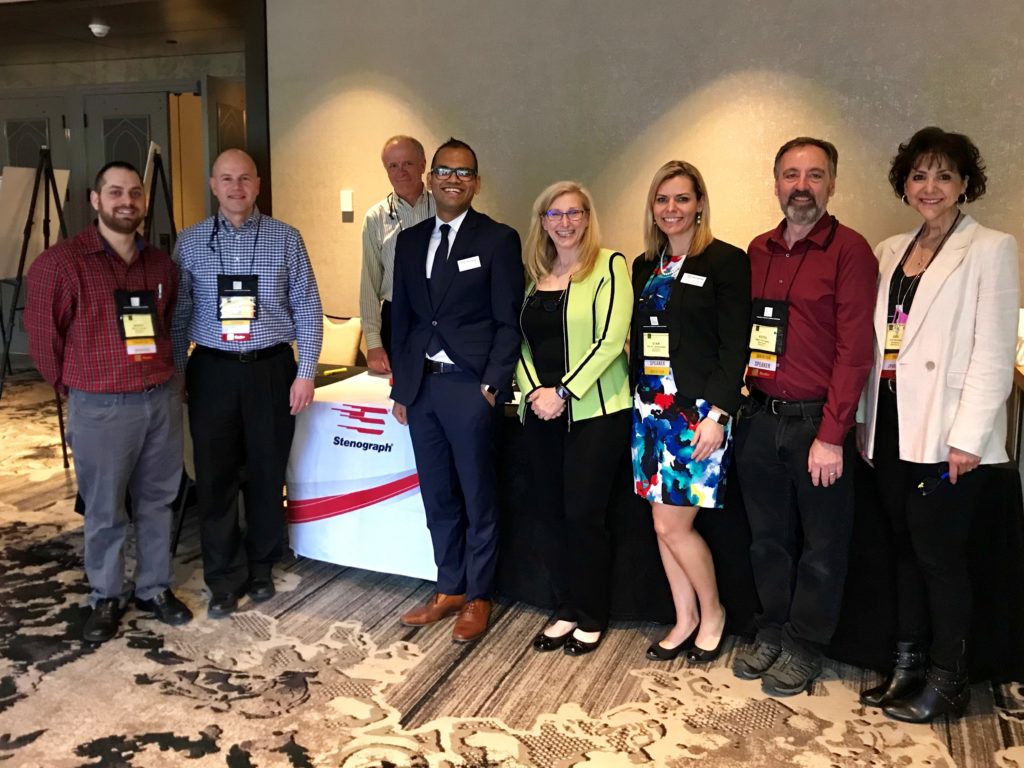

The Stenograph team 

Cindi Lynch from Stenograph gave me the rundown on this new feature for Case CATalyst.

LM | Give us an overview of the new feature of Case CATalyst — RealTeam.

CL | RealTeam is Stenograph’s simultaneous editing feature. It enables sharing of text, audio, and globals in real time. All of the RealTeam participants have access to all text, audio, and globals. For example, a reporter can be writing and translating in realtime while one or more scopists edit and/or proofreaders proof the same file; or, outside of realtime, two or more scopists and/or proofreaders can work simultaneously on the same file. This feature can significantly speed up the process of transcript production by enabling multiple parties to edit the same file during realtime or post-translation. Also, if the realtime is being output to CaseViewNet or a CARTView display, any party receiving a realtime text display also gets the benefit of more accurate translation.

LM | How is this a game-changer for aspiring realtime court reporters?

CL | This is a game-changing feature for everyone involved in transcript production — reporters, scopists, and proofers — as it enables editing and proofing to be done far more quickly. A reporter with a reliable partner, or multiple partners, can count on those partners to assist in the accurate editing of the file. This means more accurate realtime translation display and the ability to deliver the finished product more quickly than ever before. For a reporter who is not yet providing realtime, having a trusted partner who can correct on the fly could mean the difference in quality of output that could mean being confident enough to be able to provide realtime translation services to the other participants in the proceedings (vs. not providing those services). They can compete with their colleagues and out-deliver competitors.

LM | What are the main requirements for a court reporter and a scopist as far as software to utilize this new feature?

CL | All members of the team must be using Case CATalyst Version 20 and have an internet connection. 

LM | What do you feel are the top three benefits of this new feature?

CL | These are my top picks:

1. Speed of delivery. A good team can provide more accurate translation during realtime and a final transcript very quickly after the conclusion of the proceedings. Instead of taking weeks or days, the transcript can realistically be completed same day or next day. That makes the clients happy and impressed with the service provided (which is also good for the profession as a whole).

2. Better schedule coverage/opportunities to earn more. Instead of dedicating one or two days a week to write and the rest of the week to edit, a reporter and scoping/proofing team has time to take more jobs. Realistically, a reporter could write 4-5 days per week, earning the income from those additional jobs.

3. Quality of life. Reporters working alone typically devote 3-4 hours of editing for every hour that they write. With teamwork, the job can be completed in far less time. That means a significant increase in the amount of time available to each person who works on a job. A reporter no longer must assume his or her job may eat up the weekend as well as the week. A scopist no longer has to miss his or her kid’s soccer game or forgo dinner plans with the significant other because he or she has hundreds of pages to edit and return. Firm owners and office managers from firms will have less stress because the jobs they are responsible for getting to the client are available to them faster than ever before. Getting the job of transcripts edited and delivered faster means more time to enjoy life beyond work. Less stress means greater satisfaction with life and work, which in turn has positive effects on one’s health and happiness. RealTeam can be the ticket to all this!

LM | Do the changes appear on a client’s realtime screen immediately?

CL | To a client viewing a CARTView window – yes. To a client viewing via CaseViewNet Browser or iCVNet or CaseViewNet PC – yes, ifthe reporter has a CaseViewNet license and thus has access to the Rapid Refresh feature that ensures that editing changes display immediately. A client viewing output via some other viewer or the product of a reporter without a CaseViewNet license would not have the same capabilities.

CaseViewNet

James Kuta from Stenograph offered more details on CaseViewNet. 

LM | What is CaseViewNet and who should use it?

JK | CaseViewNet is a software platform for the realtime delivery of text to clients. CaseViewNet is used by court reporters and captioners to provide the delivery of text to attorneys, judges, and CART customers in realtime. CaseViewNet is useful in any situation where a client wants to receive a realtime text feed from a court reporter or broadcast or CART captioner.

CaseViewNet is a software platform that allows for both local and remote delivery of text through a local area network or the internet. There are three CaseViewNet viewing software platforms available:

  • CaseViewNet for Windows is a fully featured viewing software that allows for both local and remote viewing. It has tools clients can use to mark, annotate, search, and create text reports.
  • CaseViewNet for iPad is a lighter-weight viewer that is available for the Apple iPad devices. It has tools clients can use to mark and search text.
  • CaseViewNet Browser Edition is a browser-based text viewer that is compatible with most any device that has internet capabilities. Text can be marked and searched.

LM | What are the three most important features of CaseViewNet?

JK | There are many, but if I had to choose, these are the three I’d pick:

  • CaseViewNet has a Rapid Refresh feature that updates the text on the CaseViewNet viewing software with all editing changes made by the court reporter or scoping team during the realtime connection.
  • CaseViewNet allows court reporters to wirelessly send realtime text to clients, both locally and remotely, either through a local area network or through an internet connection.
  • CaseViewNet allows attorneys and CART clients to search for text, connect late and still receive a full feed of all text from before they connected, and save a copy of the transcript (if court reporter allows) in common litigation software formats.

LM | Does a court reporter need additional equipment besides a writer and laptop to get started?

JK | It is possible a court reporter will need a WiFi router. It depends on their work environment. If the reporter works where there is already a WiFi router available for use or other means of internet connection, no addition equipment is needed. 

LM | Is your product user-friendly from a client perspective?

JK | We believe it is. The CaseViewNet for Windows and CaseViewNet for iPad viewing software are free to download and use. The CaseViewNet Browser Edition software does not even require download or installation. The client simply goes to caseviewnet.com. Connecting to a realtime feed is as simple as clicking connect and then selecting the court reporter in the connect dialog, in the case of a local area connection. For a remote internet connection, a client will be provided with a “session code” by the court reporter.

LM | What if a client wants access to realtime but they’re in a different location? Will CaseViewNet be a viable option?

JK | Absolutely. CaseViewNet has remote connection capabilities through an internet connection.

LM | Can a court reporter using different CAT software utilize CaseViewNet?

JK | Yes. Court reporters using CAT software other than Case CATalyst can still use CaseViewNet. There are two connection types available to reporters on other CAT software: a wired connection using serial cables or a wireless connection using the internet.

Stenovate
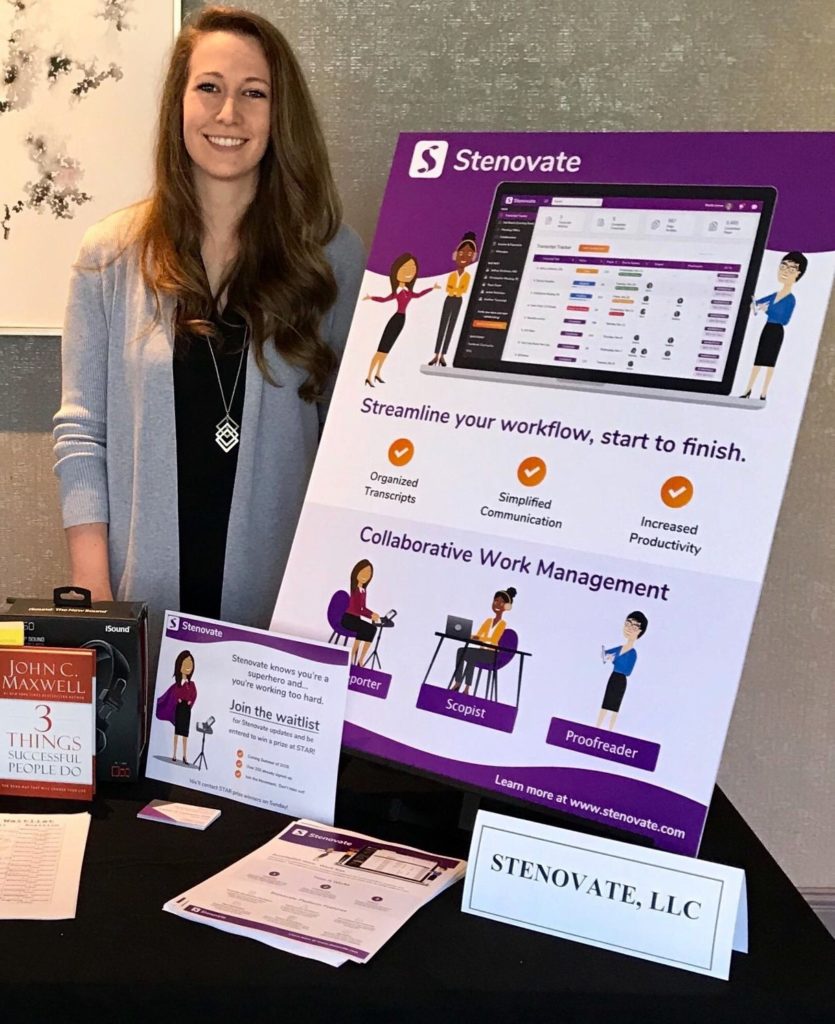
Lauren Lawrence, Stenovate

I spoke to Lauren Lawrence about Stenovate, a work management tool featured at STARtech19.

LM | What is Stenovate, and who should use it?

LL | Stenovate is a business admin and collaborative work management tool designed for the transcript community, a/k/a court reporters, scopists, transcriptionists, and proofreaders. Currently, we all have our own business “system.” We’re savvy enough to piece everything together and produce accurate verbatim records, but it’s so much more work than it has to be. 

I’ve talked to countless transcript gurus and asked how they organize their work, find help, communicate with their team, transfer files, invoice, pay, and get paid. I listen to their “system,” and then I repeat it back to them to make sure I understand. “So you’re telling me you…” xyz, xyz, xyz. When I’m done repeating it back, they proudly say, “You’ve got it! That’s what I do!” as if I’ve cracked their code. It shouldn’t be that difficult. 

We’re building Stenovate to give everyone a better system — one system. By doing this, we remove inefficiencies that have been slowing us down. Getting everyone on the same page (pun intended) will be a game-changer for this community. 

LM | What problem does your product solve for court reporters and scopists?

LL | There’s plenty of fancy tools for when we’re on the record. Stenovate is for everything off the record. It’s for when you go home and need to prioritize, communicate who’s covering what, transfer files around, track invoices, etc. I’ve always said attorneys don’t realize that time on the record is only half the job. There’s a whole backlog of things to do from home, and that’s where Stenovate solves problems.

LM | If productivity is the ultimate goal, how much time will I save?

LL | Since we’re a brand-new technology solution in a space that’s never had a platform like this before, it’s hard to give you statistics without a history, but we can give you some really solid data from “Driving Strategic and Operational Agility with Modern Work Management” featuring research from Forrester, one of the most influential research and advisory firms in the world. 

The article explains that Collaborative Work Management (CWM) is a new way to organize, track, and manage work. It’s built to “encourage agility and clarity so everyone, regardless of their role, can successfully plan, manage, and deliver business-critical work.” The report claims that “companies that adopt a CWM solution” like Stenovate “realize significant positive impacts,” especially with increased productivity and improved cross-functional execution. 

Even if you don’t have a bunch of employees and hold weekly meetings, you are running a business. Stenovate recognizes and respects your hustle. We’re really excited to be serving this incredible community, and we’re looking forward to saving you time, providing the opportunity to earn more, and helping grow your business.

LM | What tools that users currently use will be replaced with Stenovate?

LL | The right tool can give you the rocket fuel you need; however, a bundle of disconnected tools can hinder momentum. Here’s a list of what we’ve seen the community using to organize, communicate, transfer files, or create/track invoices: 

Excel, Word, Google Calendar (or any calendar), Depobook, Trello, WhatsApp, Facebook (Messenger or Groups), LinkedIn, Scoof, Slack, Viber, We Transfer, Dropbox, Gmail (or any mail), Share File, PayPal, Freshbooks, Wave, Quickbooks, Reporter Suite, and/or Stenaura.

I’ll stop at 20. There are others, but I’m sure you can see why the current “system” can be a headache, especially if you’re collaborating with multiple people who use different tools. 

LM | What’s the learning curve to use this software?

LL | We’ve worked with some amazing user-interface and user-experience designers to be sure that Stenovate is user-friendly for anyone, even those who are not “techie.” If you can use Facebook, you can use Stenovate.
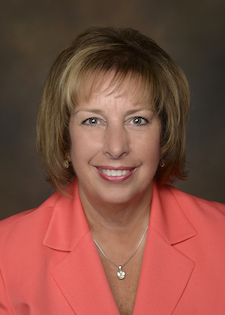
Nancy Varallo, Project Steno

Then, finally, I had the honor and privilege of being able to speak with Nancy Varallo about Project Steno.

LM | What is Project Steno’s mission?

NV | Project Steno promotes the stenographic court reporting/captioning profession through social media and community outreach, with the goal of building a robust pipeline of students into school and graduating them in two years. 

LM | How has Project Steno been working to address the national shortage of court reporters?

NV | Project Steno has a four-part plan that is working!

1. State Association/School Partnership – we have provided handouts and consulting services, machines and information to help state associations aid their local schools in recruiting students.

2. Military Spouses Training – our newest program is ready to launch.  We have been approved by the National Chamber of Commerce Hiring Our Heroes/Military Spouses in Washington, DC to advertise our Basic Training program, a six-week introduction to the basics of stenography.  There are more than 500,000 military spouses in the Army alone, and 2/3 of them are under the age of 32!

3. High School Partnerships – we have delivered Basic Training to several vocational high schools and have launched our first full-on court reporting program in San Antonio, Texas.  We have guides and information for reporters who visit schools to encourage the administration to consider hosting a Basic Training program.

4. Tuition Assistance – provide monthly tuition assistance for students who earn it each month based on their performance and progress.  Not all students receive tuition assistance.  They must complete NCRA’s A to Z program or Project Steno’s Basic Training program, sit through an interview, and agree to have their progress monitored.

LM | What is the difference between Project Steno’s Basic Training and NCRA’s A to Z program?

NV | Both are introductory programs designed to let folks get a feel for steno, get their hands on a machine, and learn about our fabulous profession and all the choices we have as professionals.  Project Steno will interview “graduates” of either program who wish to apply for our tuition assistance program.  

LM | How is Project Steno funded?

NV | Project Steno is a 501(c)(3) charitable organization who receives 100% of its funds from fellow professionals.  STAR’s board and members raised $10,000 during StarTech in Nashville.  Project Steno’s board is very appreciative of these donations from our colleagues.  Donations can be made at https://projectsteno.org/donate-online/.

Filed Under: Lynette's Blog, Uncategorized Tagged With: continuing education, court reporting, technology

Celebrate Court Reporters – Donating for Scheduled Depositions

February 12, 2019 By Lynette Mueller Leave a Comment

birthday cakeIt’s my birthday in February and it’s Court Reporting & Captioning Week!

For my birthday this year, I have a Facebook fundraiser for donations to Project To Advance Stenographic Reporting Inc. I’ve chosen this nonprofit because their mission means a lot to me. This profession has been such a blessing for me. Who knew when I first started this journey and chose this profession as a teenager where it would take me!

I love to celebrate my birthday all month long — it’s such a short month so I can get away with it; right? There’s lots for me to celebrate in February, as Court Reporting & Captioning Week happens every February as well.

“NCRA’s Court Reporting & Captioning Week is the perfect opportunity for each of us to celebrate our wonderful profession by recognizing what we do, who we serve and how we impact so many lives, whether in the courtroom, the deposition room, the board room or the classroom,” said NCRA President Sue A. Terry, FAPR, RPR, CRR, CRC, a freelance court reporter from Springfield, Ohio.

Project Steno promotes the profession of stenographic court reporting (and captioning) to young people through social media and community outreach, with the goal of building a robust pipeline of students into school and graduating them in two years.

To our valued clients:  In addition to this birthday fundraiser, Omega Reporting (your Memphis court reporters) will donate $10 for every deposition that is scheduled and goes forward in the balance of February to Project Steno.

Here’s a publication from NCRA for our attorney clients that may be helpful for your new associates in your firm. It’s called Making the Record and is complimentary. The purpose of this publication is to help the bench and bar better understand the factors that help make a clear record.

Filed Under: Lynette's Blog, Uncategorized Tagged With: continuing education, court reporters, court reporting, Facebook, legal professionals, Memphis court reporters, NCRA, Omega Reporting, Professionalism, technology

Top Gadgets of 2018 for Court Reporters

December 2, 2018 By Lynette Mueller Leave a Comment

The holidays are upon us! These awesome must-have gadgets may be just what you’re looking for this year for your favorite court reporter or legal professional. These are my latest and greatest picks this year and just a click away for that favorite person on your list! Whether you’re on the naughty list or the nice list, remember to pick up a little something for yourself while you’re at it.

Some of the following made my list last year, but they’re just so darn awesome that they landed on the list again this year.  So, hold on for “deer” life as I “present” to you my favorite gadgets of 2018.  I hope “yule” love them as much as I do.  Enjoy!

  1. Automatic Pro Connected Car Adapter: This handy gadget has realtime location data about who’s driving your car.  I’ve been using this device for over a year now and am absolutely loving it!  I am using an app called IFTTT to automatically generate a Google spreadsheet to keep track of my work miles. No more mileage logs for me where I have to handwrite all the data.  This adapter plugs into almost any car to provide unlimited monitoring with zero fees.  You may even connect your car to your Echo, your smart thermostat, or any other part of your digital life.  This product works only in the United States.
  2. DYMO LabelWriter:  This labeler is my all-time favorite gadget.  Just upload your company logo, add your contact information, and print a professional-looking label for every transcript that heads out the door.  My labeler is connected to a dedicated computer.  But I have no worries about keeping my contacts up to date, because I utilize Apple’s iCloud.  When I effect a change or update in my address book on one computer, it then syncs on all computers, so my contacts are always up to date and available no matter which computer or device I happen to be using.  I also have created a customized exhibit sticker with my logo.  No more worrying about ordering exhibit stickers because I create them on-the-go.  The product features of the DYMO labeler are many: create and print address, shipping, file, folder, and barcode labels; print USPS approved DYMO stamps postage directly from your desktop, uses thermal printing technology — no expensive ink or toner needed.
  3. Tile: I’ve been using the Tile for a few years now to keep track of my most important items. Think your writer, wallet, keys — you get the idea. Quickly find items that you seem to always misplace with Tile.  I have given these as gifts before, and they’ve been a huge hit!  Can’t find your car keys?  Not sure where you placed your phone?  Or what if my equipment gets stolen?  Quickly find your lost items using Tile’s Bluetooth tracking device.  If your Tile is within the 100-foot Bluetooth range, it will play a loud tune until you find it. Keep the app running in the background, and Tile will automatically remember the last time and place you last had your item so you know where to start looking.  Tile is available for both Android and Apple devices! The New Pro & Mate now come with replaceable batteries.
  4. Peerless TrackR Quartz Blue Ballpoint Pen:  This gadget is on my list this year. I think it would be a great addition to my gadget collection. Please tell Santa this is a must-have! The Cross Peerless TrackR was designed for those who want to enjoy the luxury of a Cross pen without the worry of it getting lost, left behind, or stolen. Within it is a tracking device that lets you keep tabs on your pen’s whereabouts through a suite of tracking features. It also comes with a lifetime mechanical guarantee!
  5. Anker 10W Wireless Charger, Qi-Certified Wireless Charging Pad: This is one of the best gadgets ever! No more cords for me when I need to charge my iPhone X. Fast charge mode enables wireless charging up to two times faster. (Metal attachments or credit cards will interfere with charging.) Some of its unique features are as follows: LED indicators, non-slip pad, temperature control, surge protection, and more!
  6. iRobot Roomba 780:  Be productive at home and do other things you’d rather be doing than vacuuming! We fondly call our Roomba “Alice,” like the housekeeper from The Brady Bunch. Now if only we had a real Alice! The features of the Roomba: iAdapt multi-room navigation uses a full suite of sensors to navigate and adapt to your changing home; room-to-room cleaning with the included Virtual Wall Lighthouse beacons; three-stage cleaning system agitates, brushes, and suctions floors; conveniently scheduled up to seven times per week or just press Clean on the robot; automatically docks and recharges.
  7. AirFly: Wish you could listen to in-flight TV with your AirPods? Want to hear the gym cardio machine’s TV audio with your wireless headphones? Now you can, thanks to AirFly – a tiny device that connects wireless headphones to wired-audio jacks on planes, in fitness center, and anywhere else wired headphones were previously required. Just pair your wireless headphones with AirFly, plug it into the headphone jack, and you’re ready. It’s just that easy! AirFly stays charged for eight hours and includes a USB charging cable and travel pouch. The built-in battery lasts up to eight hours and recharges via USB.
  8. Apple AirPods: I love to do away with cords when I can. The Apple AirPods made it into my gadget collection this past summer. I was looking for a good option to monitor live audio during a job without a cord hanging from my ear. I used the AirFly to connect to my writer, which it did fine. Unfortunately, at this time they are unusable for this purpose because of audio feedback.  That being said, the AirPods are an amazing product and hopefully one day the technology can work for monitoring of audio during the deposition. These earbuds can be used for when I want to edit over the lunch hour or on breaks and I wish to spot-check my audio.  They are slim and quite unobtrusive. No one can even tell I have them in! They can be used with all your devices. After a one-tap setup, the AirPods are automatically on and always connected. You will get up to five hours of listening time on one charge.
  9. HGM-2 Microphone: This handy little microphone is packed with lots of features and has extreme pickup range and quality in addition to a built-in battery tester. The court reporter who has this mic can be assured you will have a worry-free day of crystal clear audio.  The HGM-2 utilizes a high-power battery that lasts 600 hours and allows the microphone to actually track voices up to 75 feet away while filtering out background noise. I use this microphone attached to my Luminex so that I can monitor audio live for those low-talking witnesses and attorneys!
  10. Amazon Echo Dot: I received the Echo Dot last year. It truly has a wide variety of uses and can be used throughout your office or home. Echo Dot is a hands-free, voice-controlled device that uses Alexa to play music, control smart home devices, make calls, send and receive messages, provide information, read the news, set alarms, read audiobooks from Audible, control Amazon Video on Fire TV, and more. When editing my transcripts, I ask Alexa to verify spellings for me so that I don’t have to take my hands off the keyboard; thus, making me much more productive. If a court reporter can keep their hands on the keyboard, it saves time and effort for sure. Other uses for the Echo Dot are as follows: Connects to speakers or headphones through Bluetooth or 3.5 mm stereo cable to play music from Amazon Music, Spotify, Pandora, iHeartRadio, and TuneIn. Apple Music is coming mid-December! Play music simultaneously across Echo devices and speakers connected via cable with multi-room music. There are many skills available for Alexa. If you want to find out if you or your children are on Santa’s Naughty or Nice list, enable the skill on Alexa and find out quickly!
  11. Peeps: This gadget is another one that is on my Wish List! It’s gotten rave reviews online. It’s a revolutionary and patented invisible carbon formula that safely and easily cleans your glasses, leaving your lenses as clean as the day you got them. This gadget is compact, lightweight, and pocket-sized, which makes it a perfect companion for travel! Unlike disposable chemical-filled wipes, the carbon technology is all natural.

There you have it — my Top Gadgets for the Holidays 2018.  Happy gifting! Oh, and remember to pick up a little something for yourself while you’re shopping.

Filed Under: Gadgets, Lynette's Blog Tagged With: apps, backup, certified court reporters, court reporters, court reporting, exhibits, gadgets, Google, iPad, legal professionals, Memphis court reporters, Omega Reporting, productivity, smartphone, technology, USB

NCRA Webinar Scheduled: There’s an app for that!

October 26, 2018 By Lynette Mueller Leave a Comment

A mere eight years ago, we were always asking, “Is there an app for that?” Today, though, apps are an integral part of our work life and we now ask, “Which apps are best?”

NCRA has invited me to share with our members a 60-minute presentation on the best apps for court reporters. Mark your calendars for December 3rd and plan to attend! Look for details from NCRA soon.

My top five reasons to use apps:

  1. Productivity
  2. Solve Problem/Issue
  3. Embrace technology = client retention and look like a rock star
  4. Great customer service by providing thing clients come to expect
  5. Mobile society – keep going no matter where you are

A sneak peek of some of my favorites:

Deliveries
Google Maps
Dropbox
Voice Recorder

And many more . . .

Finally, I want to encourage everyone who loves The Voice to download their app and follow all the vocalists. It’s an awesome program. This year it’s even more cool for me because there’s a young lady named Reagan Strange (14 years old) who has made it through to the Knockouts and she’s on Adam Levine’s team! My husband and I have known Reagan since she was seven years old. She arrived at our home to have her headshot taken by my photographer husband. After the photo shoot, I remember so vividly that she came down the back staircase of our home and asked me if I would like to hear her sing. Man, I was blown away!

Please follow Reagan Strange with me on this next phase of her musical journey. You won’t be disappointed!

The Voice App for iOS

The Voice App for Android

Follow Reagan on social media and let’s get her amazing personality and voice to go viral:

Facebook

Instagram

Twitter

Filed Under: Lynette's Blog Tagged With: apps, continuing education, court reporting, Memphis court reporters, productivity, technology

What’s Your Super Power, Court Reporters?

September 20, 2018 By Lynette Mueller Leave a Comment

This summer is drawing quickly to a close. How time flies, it seems! Our focus and attention is now looking forward to autumn and all the activities associated with the kiddos headed back to school.

I, for one, am not quite ready to let summer go. For me, one of the most fun things to do during the scorching Memphis summers is go to the movies. And what a movie blockbuster season it’s been! At times it seems as though we are inundated with tons of action flicks and there’s critics in the press with a bit of negativity about the superhero films. My response? “Who cares!! The more action, the better.”

Top of my “best of” lists this summer?

  • Black Panther
  • Avengers: Infinity War
  • Solo: A Star Wars Story
  • Ant-Man and the Wasp
  • Mission: Impossible – Fallout
  • Incredibles 2

My absolute favorite, by far, is Incredibles 2. Animated films are not strictly for children at all. I had no hesitation, qualms, or embarrassment in the least attending this summer movie. The adult humor scattered throughout the film is wasted on the young ones! This movie was much anticipated by Yours Truly and was a long time coming — 14 years, to be exact. This movie is brilliant and it has many lessons to be learned for court reporters.

1. Teamwork:

Helen and Bob Parr a/k/a The Incredibles, work hard side by side to make the family dynamics successful. The working mom (Elastigirl) has the confidence to head to the job each day knowing her husband is staying at home with their three kids and performing “heroically” with the day-to-day mundane activities of meal prep, school, and homework.

As a freelance court reporter, it is sometimes easy to forget about the importance of teamwork — especially in today’s ever-changing technology-driven environment. Our profession has become (and viewed by many)  a cottage industry (by definition, working at home with your own equipment).  Sure, we go to the job and do our magic on that “little machine,” but rarely interact much with the participants.

When I started my company several years ago, I associated myself with a local videography firm to handle videotaped deposition requests.  Nearly 50% of the depositions I handle are videotaped.

The roles of the court reporter and videographer are intertwined, and there’s significant synergy and teamwork between myself and my videographer from start to finish!

Our teamwork begins by the videographer arriving approximately an hour prior to start time. This enables him to set up his equipment and do any necessary testing prior to my arrival, which is 30 minutes before the deposition is scheduled to begin. My arrival after the videographer allows him the opportunity to set up at his leisure and no worries about anyone hovering. It’s then my turn to set up. Setup is quick and easy for the court reporter: boot up the computer, attach your tripod to your machine. The videographer then provides a direct audio feed to my computer and we’re ready to go!

Once all the parties, attorneys, and witness are situated and before we go on the record, I always make a quick check to ensure that everyone has their microphone clipped on their lapels. A quick acknowledgement by myself to the videographer lets him know that we’re ready to go on the record. Our teamwork is like a well-oiled machine and the process works smoothly throughout the day.

Once the deposition is concluded, our teamwork continues through the production phase. At times video-text synchronization is requested. Video-text synchronization captures the witness’ testimony via videography along with the certified court reporter’s transcript.  A trial-ready CD or DVD allows you to show the witness’ words appearing on screen as they are being spoken.  Adding a video component to the deposition process brings the written words “alive”! Video depositions capture the witness’ facial expressions, pauses, change in tone, demeanor, and mannerisms that will never be captured with the written word alone.

In an effort to aid the videographer in his production role, as the court reporter, I can provide him with a timestamped transcript for the process of syncing and/or editing of the deposition. The videographer and court reporter, doing two different functions or tasks, working in cooperation with each other, can create an excellent multimedia tool for later use in the courtroom.

2. Make a Professional Fashion Statement:

My favorite character in the Incredibles films is definitely Edna Mode. Edna knows how to make a fashion statement: the iconic all-black suit and gigantic eyeglasses! During the first Incredibles movie, when Bob made the suggestion that perhaps a cape could be in order for his updated supersuit, Edna responded emphatically with the line, “No capes!” Again, wise Edna knew the importance of appropriate attire for Bob’s specific job.

For court reporters, our professional appearance should be top of mind too. When I started court reporting so many years ago, my first employer stressed to me about dressing professionally. Her uniform always consisted of a blazer and either a skirt or pants.

Reasons to dress for success:

  • builds confidence, composure, and self-respect
  • vital to communicating who you are (a valuable participant in the judicial process)
  • you only get one first impression

More often than not when I arrive at a law firm, the receptionist will assume that I’m an attorney – a great thing! After all, we are respected partners and equals in the deposition and judicial arena, working side by side with the attorneys on their important cases.

3. Success Takes Time:

Prior to the start of the Incredibles 2 at the theater, some of the voice actors for the characters shared how they were so thrilled to be in the second movie. The work, time, and effort to produce an animated film is intense. As I said at the beginning of this post, it took 14 years between the original movie and the sequel.

Every court reporter should strive to become realtime-proficient. It takes time to do so, and you cannot become an overnight success. Hard work and determination are the key factors in becoming realtime-proficient.

Be familiar with your CAT software capabilities and let your software work for you. My software has options to power define entries from the writer. Whenever you can keep your hands on the writer and add entries, it gives you just that extra bit of time to do things quickly and make your feed even more clean on the fly. The prep work is essential to maintain or exceed that goal. My writing is constantly evolving. Writing short is paramount to the success of my translation rate, for keeping up with the fast talkers and, also, being kind to my body — specifically my back and hands.

4. New Ways Can Be Intimidating:

When Mr. Incredible took over the duties of the stay-at-home parent, he struggled with helping Dash with the math homework. It was a frustration because he didn’t know how to complete the homework in the desired and expected way.

Change is intimidating for court reporters sometimes as well. There are so many technological advancements in our profession each day, and it seems such a daunting task to keep up with it all.  It should be noted that there are some fantastic tools available to assist court reporters to be more productive, efficient, and valuable to attorney clients and legal professionals. Court reporters should keep in mind that in order to be effective and stay relevant, we must keep abreast of technology, embrace it, and never be skeptical of the newest innovations.

One final Edna-ism from the first Incredibles movie:

I never look back, darling. It distracts from the now.

We all look at the past and reflect on everything we’ve done in our personal and professional lives. Sometimes we  spend far too much time worrying about things we should have done or could have done differently.

  • “Why didn’t I start realtime sooner?”
  • “I should have upgraded to that new laptop before my old one crashed.”
  • “I wish I knew more about my CAT software.”
  • “I wish I had passed that next level of NCRA certification right after graduation.”

Again, while it’s good to think about the past, it’s best to move forward and set goals on how to move forward in a positive way and focus on the present. Concentrate on making a positive impact today and find your Super Power!

Filed Under: Lynette's Blog Tagged With: CAT software, certified court reporters, court reporters, court reporting, legal professionals, Professionalism, realtime, teamwork, technology, video-text synchronization, videographer, videotaped depositions

  • « Previous Page
  • 1
  • 2
  • 3
  • 4
  • 5
  • 6
  • …
  • 12
  • Next Page »

Schedule Now

Phone: 901.827.8671
E: Info@OmegaReporting.com

Contact Us

T: 901.827.8671

E: Info@OmegaReporting.com

Conference Facilities:
6465 North Quail Hollow Road
Suite 200
Memphis, TN 38120

Conference Room Complimentary
(with transcript order)

About Us

The Omega Difference - Why Our Clients Love Us The Ultimate in Professional Reporting . . . The need for speed and accuracy is great in today's ever-changing world of technology.  Omega Reporting is here and available to help our clients with their court reporting and transcription needs.  Our team strives to provide the ultimate experience for each of our clients.  The Omega Difference and What … READ MORE

Connect With Us

  • Email
  • Facebook
  • Google+
  • Instagram
  • LinkedIn
  • Pinterest
  • RSS
  • Twitter
  • YouTube

Schedule Now

Copyright © 2026; OMEGA REPORTING, SITE DESIGNED BY LYNETTE MUELLER